Payment Widget
Send someone to a secure Atli page to pay or add a card, when your app can’t show Stripe’s form itself.
When to use it
AI assistants and MCP clients, which talk to people in a chat and have no screen of their own to put a card form on.
Paying outside the flow, such as a bot in Telegram or WhatsApp, or finishing on another device or later on.
Any other client that can’t load Stripe’s SDK, such as a terminal or a voice app.
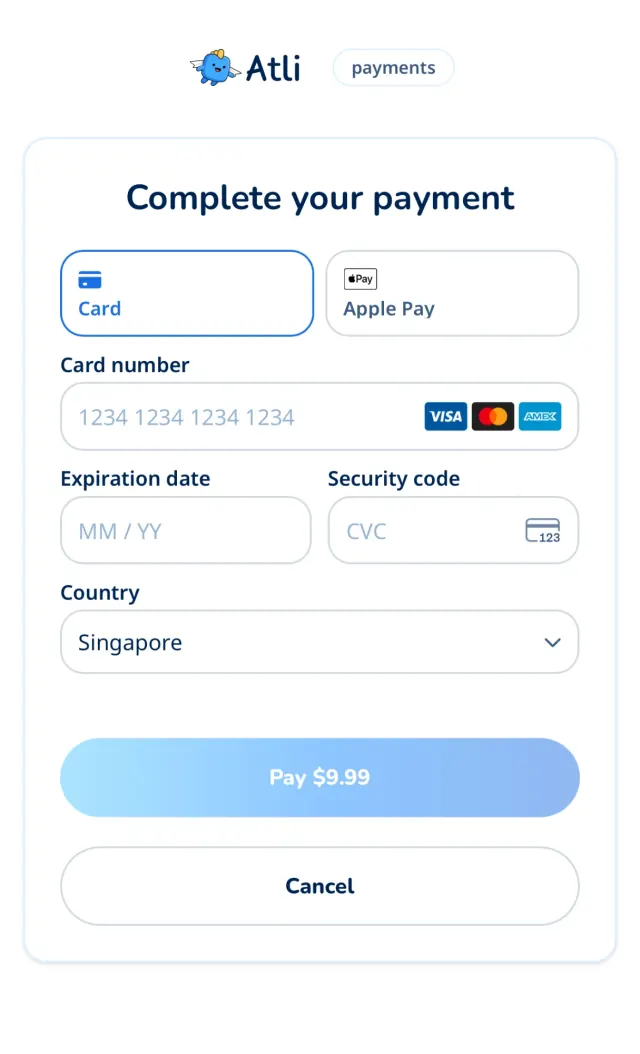
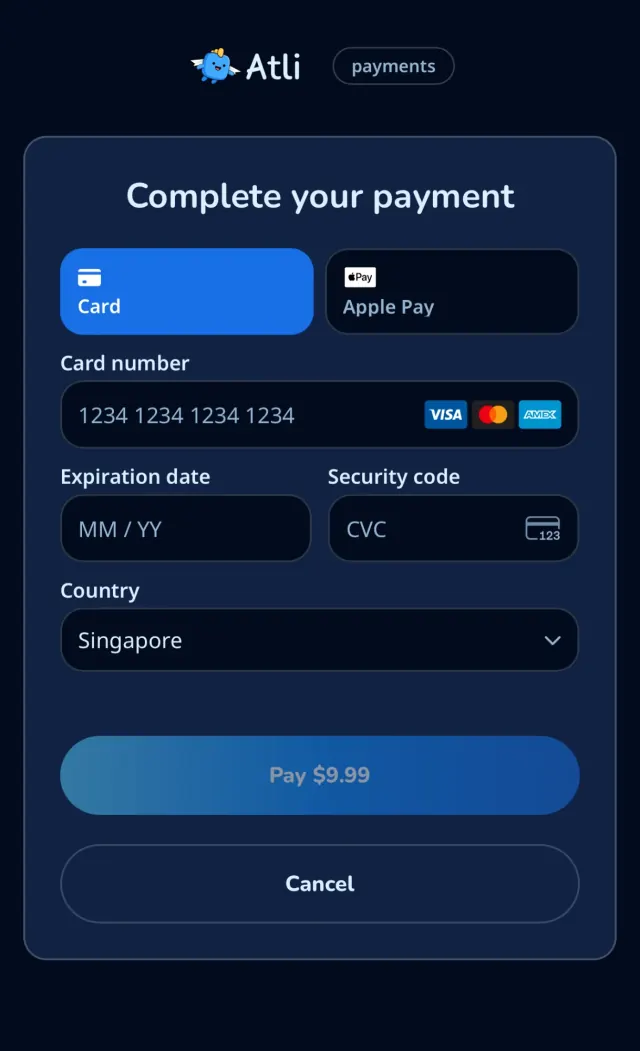
setup_intent
The person saves a card to their account without paying now, so your client can buy with it later.
Start adding a card
POST /user/payment-methods/setup-intentanswers with the three fields beside theclient_secret.For a group’s card, use
POST /groups/:groupId/cards/setupandPOST /groups/:groupId/cards/confirmin the same way. Their answers call the idsetup_intent_id.curl -X POST https://api.heyatli.com/user/payment-methods/setup-intent \ -H 'Authorization: Bearer YOUR_TOKEN' { "id": "seti_…", "client_secret": "seti_…_secret_…", "sealed_secret": "eyJhbGciOiJFQ0RILUVTIi…", "key_id": "QvWE2gHWYExKj2Yc…", "seal_signature": "c2lnbmF0dXJl…", "options": "{\"lang\":\"en\",\"message\":\"Plan for Australia\"}", "options_signature": "b3B0aW9ucw…" }Send the person a link
Put the three values into a link to the payment page, with
typeset tosetup_intent. The person sees only Stripe’s form, with no amount.const link = new URL('https://heyatli.com/pay'); link.search = new URLSearchParams({ type: 'setup_intent', sealed_secret: response.sealed_secret, key_id: response.key_id, seal_signature: response.seal_signature, return_id: response.id, // Only when the response has them, and always together. options goes in // base64url-encoded (Buffer in Node; TextEncoder and btoa in a browser). ...(response.options && { options: Buffer.from(response.options).toString('base64url'), options_signature: response.options_signature, }), }).toString();Save the card
POST /user/payment-methods/confirmsaves the card to the account once the person has finished. ThenGET /user/payment-methodslists it.curl https://api.heyatli.com/user/payment-methods/confirm \ -H 'Authorization: Bearer YOUR_TOKEN' \ -H 'Content-Type: application/json' \ -d '{ "setup_intent_id": "seti_…" }'
What goes in the link
| Parameter | Required | What it does |
|---|---|---|
| type | Yes |
|
| sealed_secret | Yes | The value from the response, exactly as it came. |
| key_id | Yes | The value from the response. It names the key the secret was sealed to. |
| seal_signature | Yes | The value from the response. The page checks it, and refuses a link where it’s missing or doesn’t match. |
| options | No | The |
| options_signature | No | The value from the response, unchanged, with |
| lang | No | The page’s language, one of the 15 this site uses. Without it, the language the person chose on heyatli.com, then the browser’s. |
| theme | No |
|
| brand | No |
|
| redirect_success_url | No | Where to send the person afterwards. It must be |
| redirect_cancel_url | No | Where to send the person afterwards. It must be |
| redirect_failure_url | No | Where to send the person afterwards. It must be |
| return_id | No | Your own reference, added to the redirect. Letters, numbers, |
How to treat the link
Pass the values unchanged.
URLSearchParamshandles the encoding.Pass the page options on too. When the response has
optionsandoptions_signature, add both:optionsbase64url-encoded,options_signatureas it came. Don’t change the JSON before encoding it.Stay in one environment. Sandbox values open only on
staging.heyatli.com/pay, and Production values only onheyatli.com/pay.Treat it like a password. Send it only to the account’s owner, and keep it out of logs.
One order at a time. A new purchase cancels the earlier pending order and its link, so don’t store links.
If the three fields are missing, make the call again. Never put a plain
client_secretin a link.A redirect proves nothing. Trust only the check in the last step.
How the encryption and signature work
You don’t need any of this to send a link. It’s here so you can see what happens and check what the server returns. Both use public keys, on these addresses for the environment you’ve chosen:
- Payment page
- https://heyatli.com/pay
- Encryption keys
- https://heyatli.com/api/keys
- Signing keys
- https://api.heyatli.com/keys
Encryption
sealed_secret is the client_secret as a compact JWE, a format that’s already safe in a URL. It’s encrypted to the site’s X25519 public key, so only the site’s server can read it. key_id is that key’s id, and matches the JWE’s kid.
- alg
- ECDH-ES
- enc
- A256GCM
- kid
- key_id
- Key
- JWK: kty OKP, crv X25519, x = public_key
The API does this for you, using the first key from the list. In code, it comes to this:
import { CompactEncrypt, importJWK } from 'jose';

const { keys: [key] } = await (await fetch('https://heyatli.com/api/keys')).json();

const publicKey = await importJWK(
  { kty: 'OKP', crv: 'X25519', x: key.public_key },
  'ECDH-ES'
);
const sealedSecret = await new CompactEncrypt(new TextEncoder().encode(clientSecret))
  .setProtectedHeader({ alg: 'ECDH-ES', enc: 'A256GCM', kid: key.id })
  .encrypt(publicKey);
Signature
Because anyone can encrypt, a sealed value doesn’t show who made it. So the API signs it with an Ed25519 private key that only it holds. The signed message is the UTF-8 bytes of these three lines, joined by a newline, with none at the end:
atli-seal-v1
<key_id>
<sealed_secret>
The API forms the signature like this, with a private key that never leaves it:
// What the API does. Only it holds the private key.
const message = new TextEncoder().encode(
  `atli-seal-v1\n${keyId}\n${sealedSecret}`
);

const signature = await crypto.subtle.sign('Ed25519', privateKey, message);
const sealSignature = Buffer.from(signature).toString('base64url');
seal_signature is the raw 64-byte signature as base64url with no padding, which is 86 characters. Each environment signs with its own key, and the list can hold two during a rotation.
The payment page checks this before it opens anything, and refuses a link where it’s missing or doesn’t match. To check what the server returned yourself, rebuild that message and verify the signature against the signing keys:
// In Node. sealedSecret, keyId and sealSignature come from the API response.
const { keys } = await (await fetch('https://api.heyatli.com/keys')).json();

const base64url = (value) => Uint8Array.from(Buffer.from(value, 'base64url'));
const message = new TextEncoder().encode(
  `atli-seal-v1\n${keyId}\n${sealedSecret}`
);

// The list can hold two keys during a rotation: one match is enough.
const checks = keys.map(async (key) =>
  crypto.subtle.verify(
    'Ed25519',
    await crypto.subtle.importKey('raw', base64url(key.public_key), 'Ed25519', false, ['verify']),
    base64url(sealSignature),
    message
  )
);
const valid = (await Promise.all(checks)).some(Boolean);
Changing sealed_secret or key_id breaks the signature. It doesn’t cover type, redirects or the other parameters, and it doesn’t show that the person opening the link owns the account. A signed link keeps working for as long as Stripe accepts the secret.
Page options
The API returns options as JSON text. It holds message, plain text of up to 300 characters, and lang, the language the message is in. More keys may come, and the page ignores those it doesn’t know. The message follows the language of your request: X-Locale, Accept-Language or ?lang=, as everywhere in the API. In the link it’s base64url, so it needs no escaping there and stays short in any language. Options are extras: if they’re missing or don’t check out, the page takes the payment without them.
// response.options, as the API returns it
{"lang":"en","message":"Plan for Australia"}
options_signature is made with the same key, over these four lines, where <options> is the JSON exactly as the API returned it. The page decodes the link’s value and checks that. Because the seal is part of it, options moved to another link don’t pass:
atli-options-v1
<key_id>
<sealed_secret>
<options>